AI Automation Dashboard / 2026
ControlDeck
AI Automation Dashboard
Case study
The project at a glance
Overview
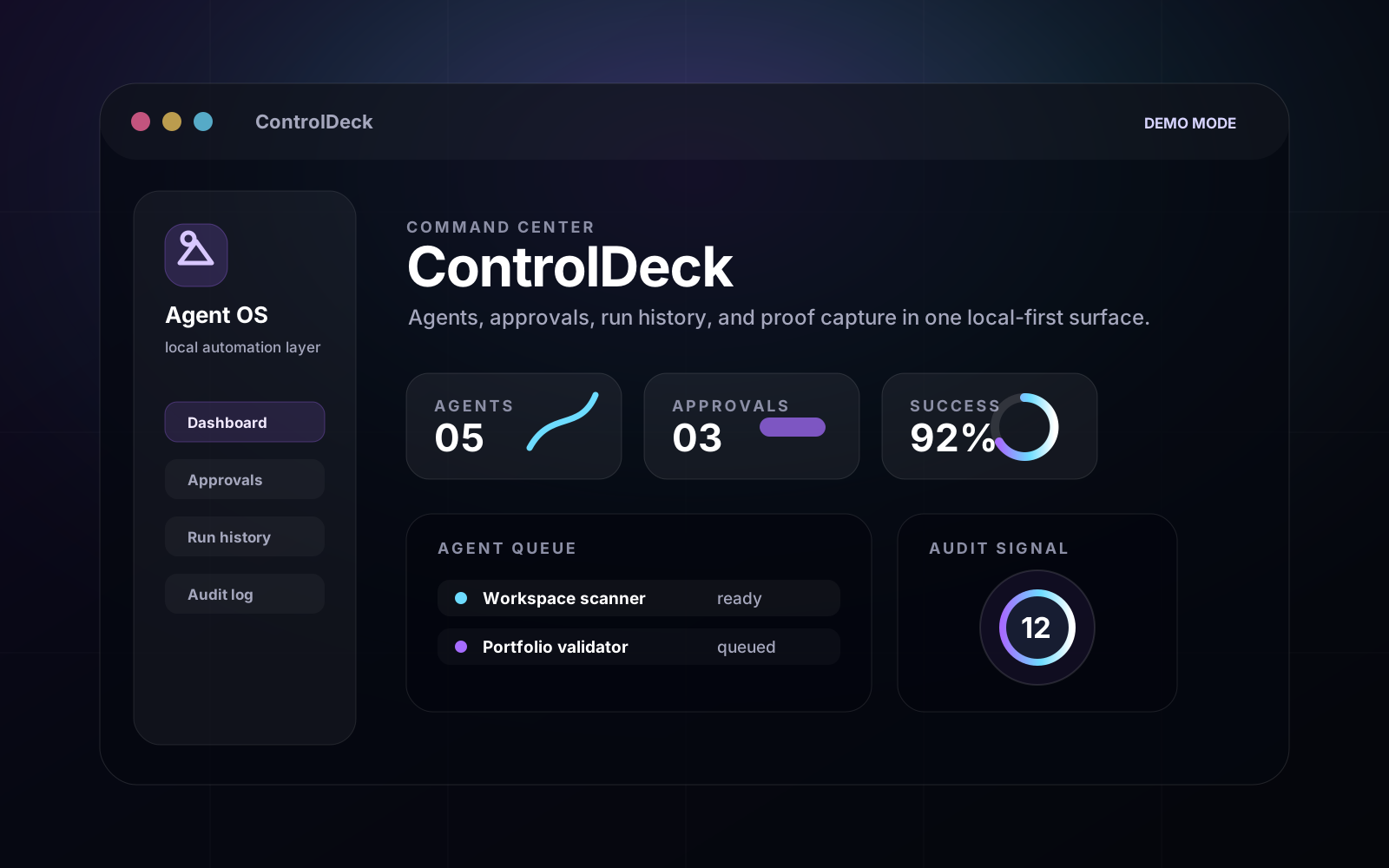
ControlDeck is a local-first command center for monitoring, approving, and safely running personal AI agents, automation scripts, build checks, and workflow tasks.
Problem
Personal automation work can become scattered across notes, scripts, chats, and dashboards, making it hard to know what is safe, active, blocked, or already audited.
Solution
Build a command-center interface with fixed agent definitions, approval gates, demo/local modes, execution logs, and a persistent audit trail.
Outcome
The project has a documented desktop boundary, safety model, and demo proof path. Installer/release proof is intentionally not claimed until the Rust toolchain and Tauri build chain are validated.
Tools used
Stack and proof
Public evidence boundary
Desktop direction and proof docs exist locally; release proof is still blocked until Rust/Cargo and Tauri build checks pass.
Role
Product design, frontend, workflow architecture
Case study system
What this project proves
ControlDeck is treated as the flagship product case study: a local-first command center for personal AI agents that makes automation visible, gated, logged, and safe enough to demo.
Runtime
Tauri
Windows desktop direction with React, TypeScript, Rust, and SQLite
Safety
Allowlist
Fixed Rust manifest owns agents, script keys, and approval rules
Mode
Demo first
Local execution remains gated and disabled by default
Proof
Partial
Desktop direction is documented; release build is blocked by missing Rust toolchain
Process
Build path
- 01
Frame the operating problem
Personal AI work was spread across prompts, scripts, browser tabs, folders, and terminal commands, which made it hard to audit or safely repeat.
- 02
Design the safety model
The app blocks arbitrary command input, uses fixed agent definitions, separates demo and local modes, and routes medium-risk actions through approval gates.
- 03
Move toward a real desktop boundary
The project direction shifted from a web dashboard idea into a Tauri desktop app with Rust commands and app-data SQLite.
- 04
Package it as portfolio proof
The next presentation layer focuses on public-safe screenshots, a demo video, and clear proof artifacts instead of exposing private local scripts.
Evidence
Source map
What can be shown publicly, what stays local, and what still needs proof before launch.
Public-safe dashboard preview
Public-safeSanitized visual asset now shows the command-center concept without exposing private scripts or local data.
Desktop product README
Local-onlyLocal product description, safety model, demo/local mode rules, and expected release outputs.
Demo proof artifact
Local-onlyLocal markdown proof records demo mode, no arbitrary command execution, and project-local artifact writing.
Release executable
PendingNot public yet because the Windows installer and executable proof are still blocked by the missing Rust/Tauri build chain.
Next
What needs to happen before this is final
- Capture a public-safe dashboard screenshot from seeded demo state.
- Record a short demo video showing approval and audit behavior.
- Add the installer/build proof only after the Tauri dependency chain is fully validated.
Visual evidence
Public-safe presentation assets